Modeling tool
Create models with libraries covering several physical domains.
- Electrical, mechanical, magnetic, thermal, and control libraries
- Components for converters, drives, and control systems
- Suitable for both simple and more detailed models
Modeling and simulation software for power electronics engineers.
SIMBA Desktop helps engineers analyze and design power supplies, motor drives, and grid-connected converters with an intuitive desktop interface.
It combines circuit modeling, simulation, scopes, and advanced analyses in one application.
A quick look at the SIMBA Desktop interface.
SIMBA Desktop combines an easy-to-use interface with the analysis features needed for power electronics work.
Create models with libraries covering several physical domains.
SIMBA uses a transient solver with a predictive time step that adapts to the circuit behavior.
The desktop interface is simple to use and lets engineers become operational quickly.
SIMBA Desktop includes features for deeper analysis beyond a single transient run.
The desktop application keeps circuit creation, simulation, and result visualization in the same environment.
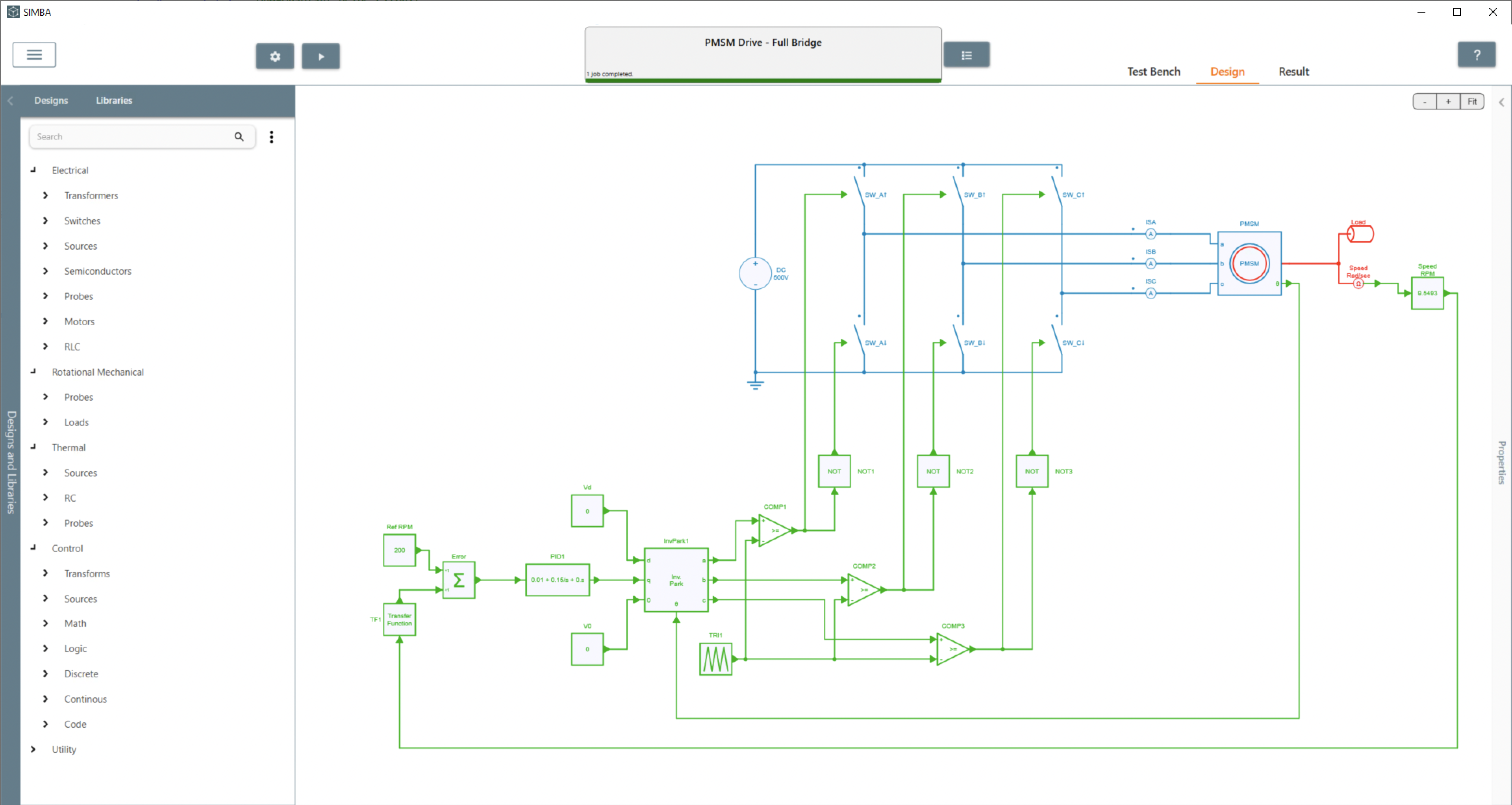
SIMBA includes electrical, mechanical, magnetic, thermal, and control libraries. This makes it possible to study the electrical circuit together with the rest of the system.
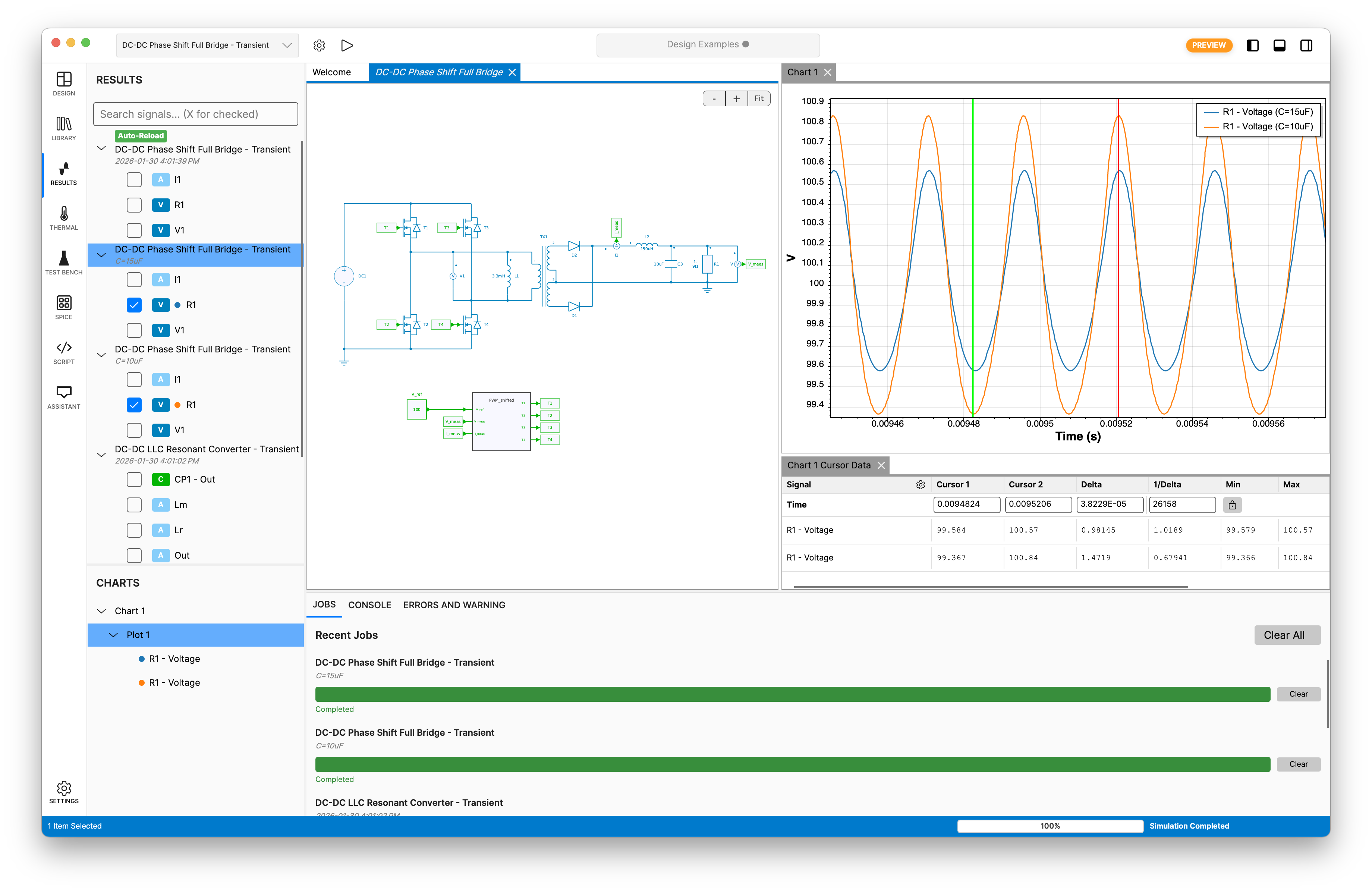
The interface is designed to be simple to use so engineers can create and modify circuits without a long learning phase.
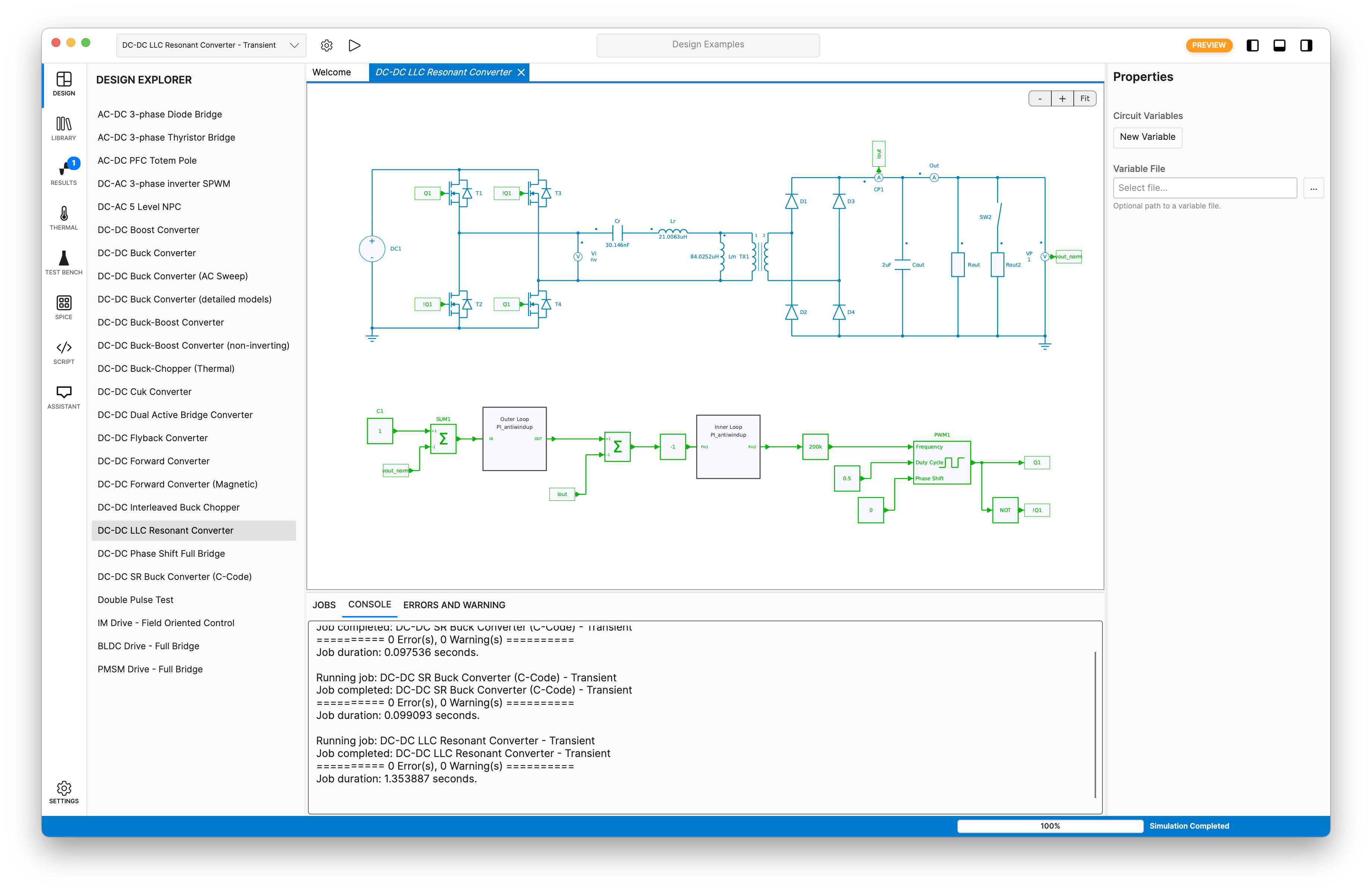
The solver adapts to circuit events and time constants to provide strong performance on power electronics models.
Results can be visualized during and after simulation. The scopes include zoom, waveform analysis, and measurements such as instantaneous, average, RMS, and FFT values.
SIMBA Desktop includes several analysis features used in power electronics design and validation.
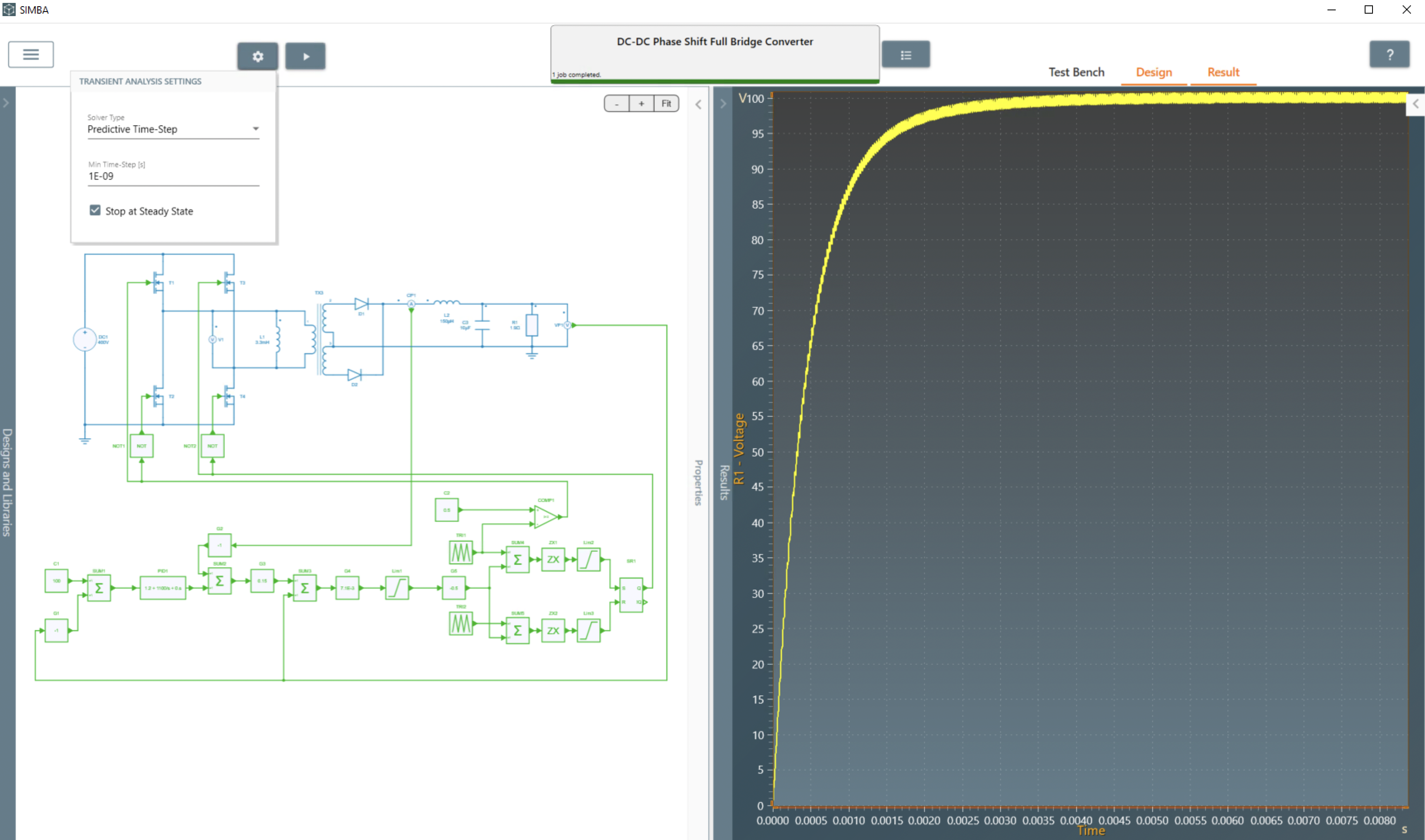
SIMBA can detect the steady-state operation of the simulated circuit. This is especially useful during parametric studies where each run can have different time constants.
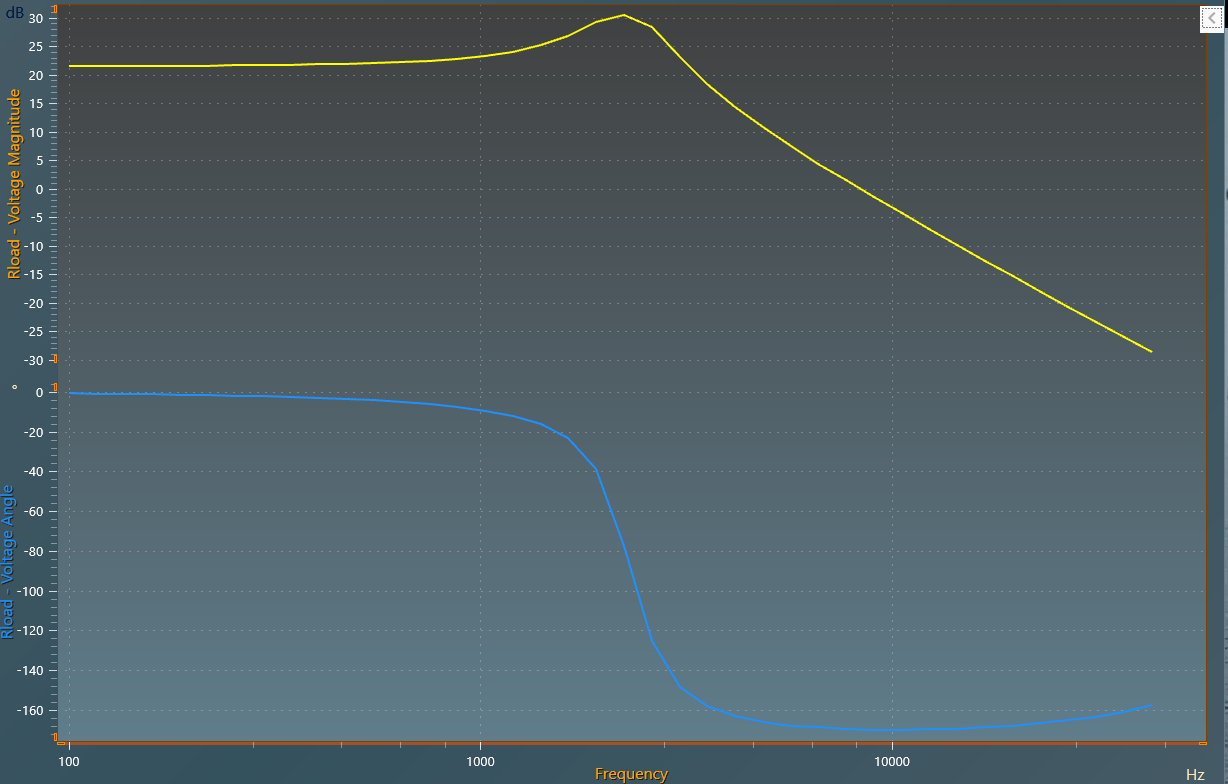
AC sweep can be used to determine open-loop and control-loop transfer functions over a user-defined frequency range.
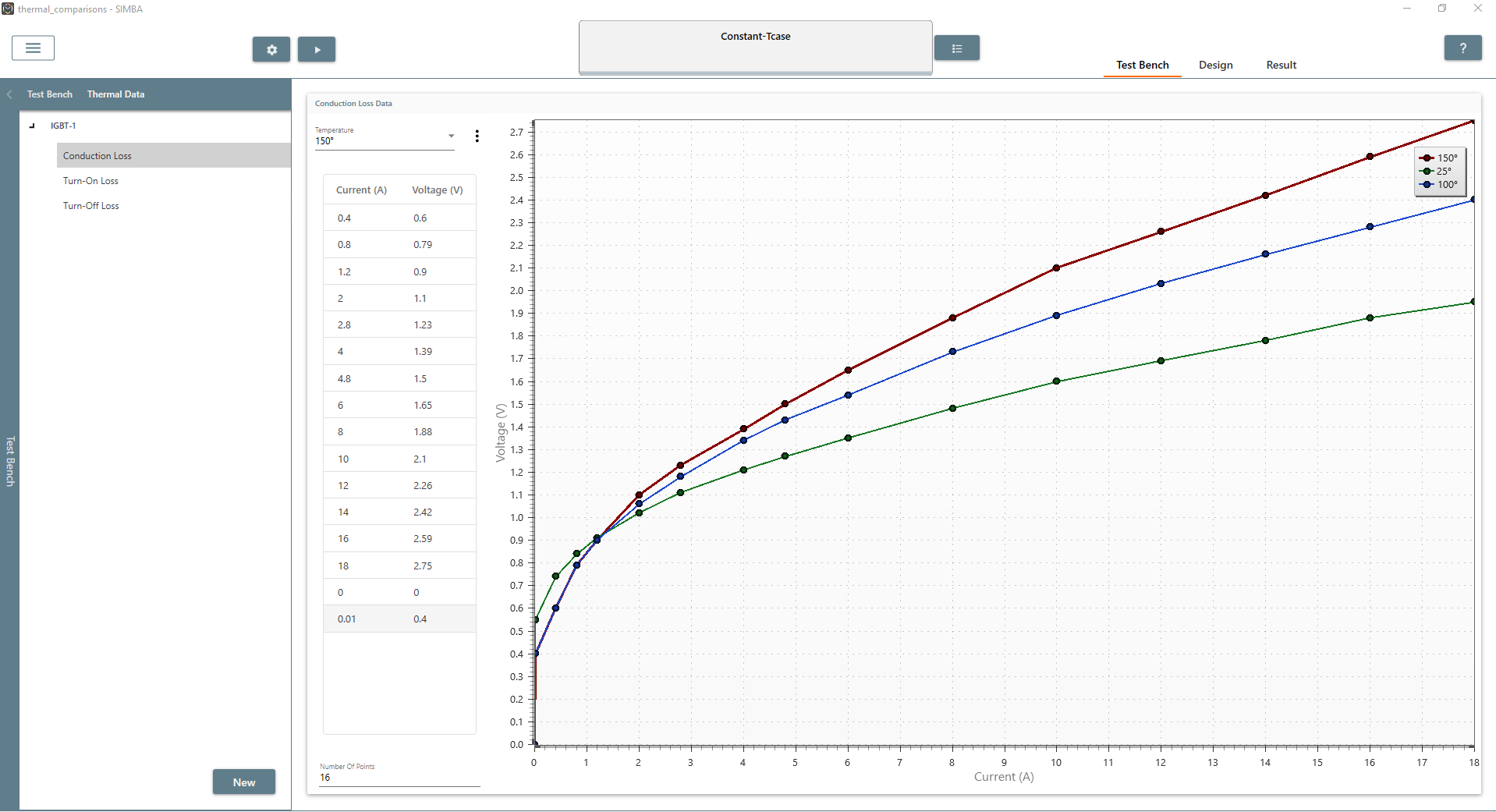
SIMBA can combine electrical and thermal simulations to study switching and conduction losses in power semiconductors.
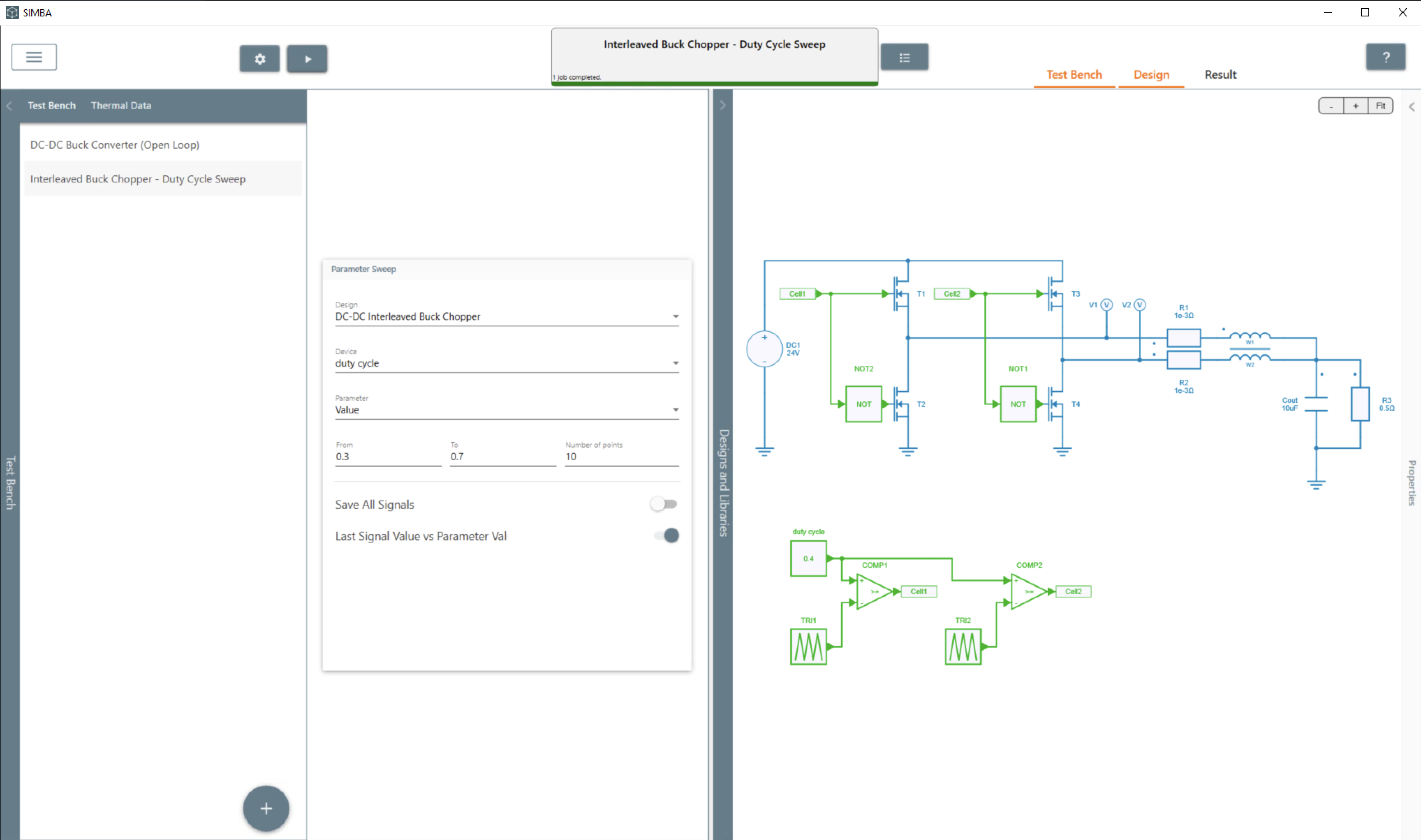
Parametric analysis helps automate a single-parameter variation and the corresponding simulations.
SIMBA Desktop can also be extended with custom control code and Python scripts.
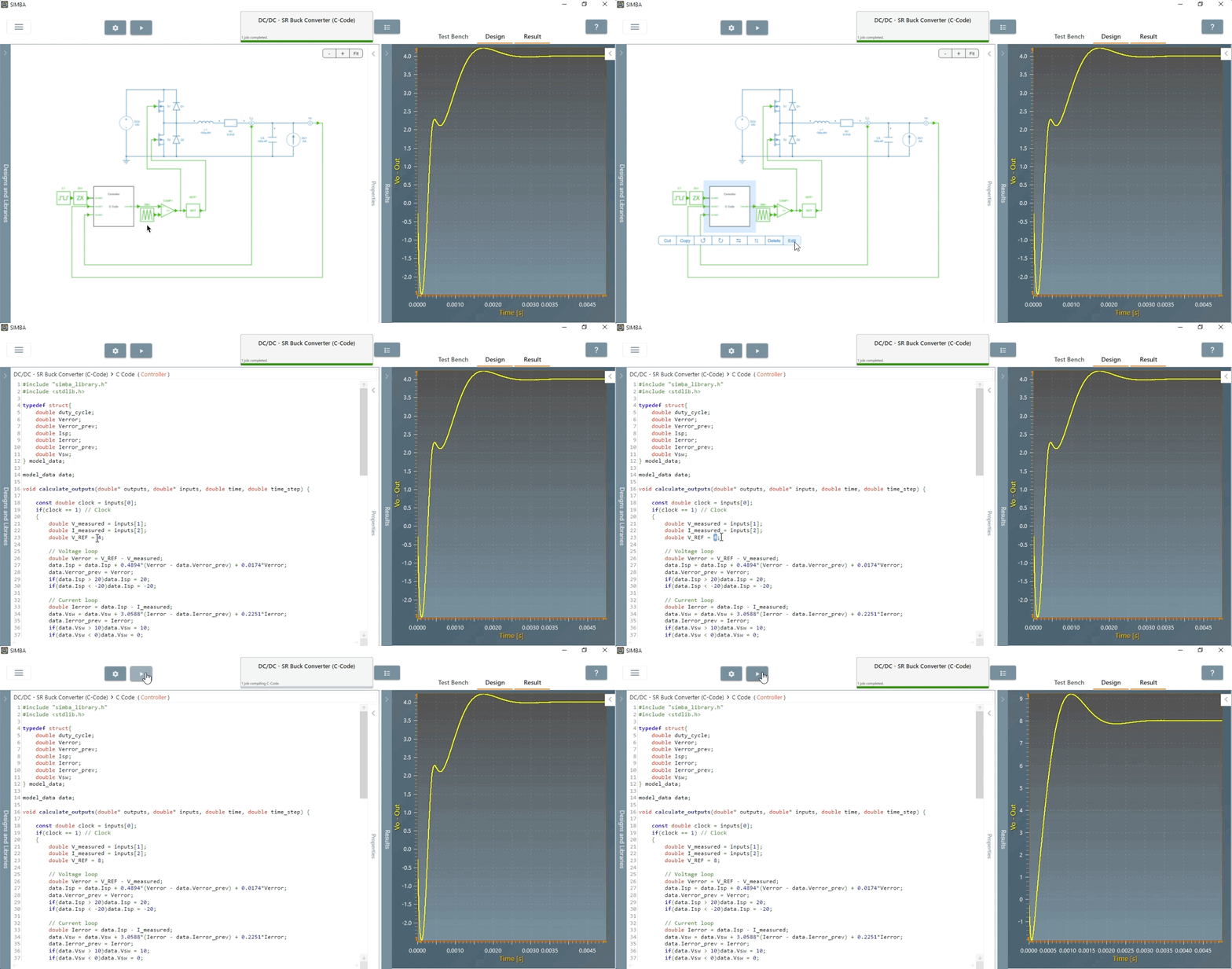
The control library includes a C code block that lets users write their own control code, include headers, and build custom control model blocks.
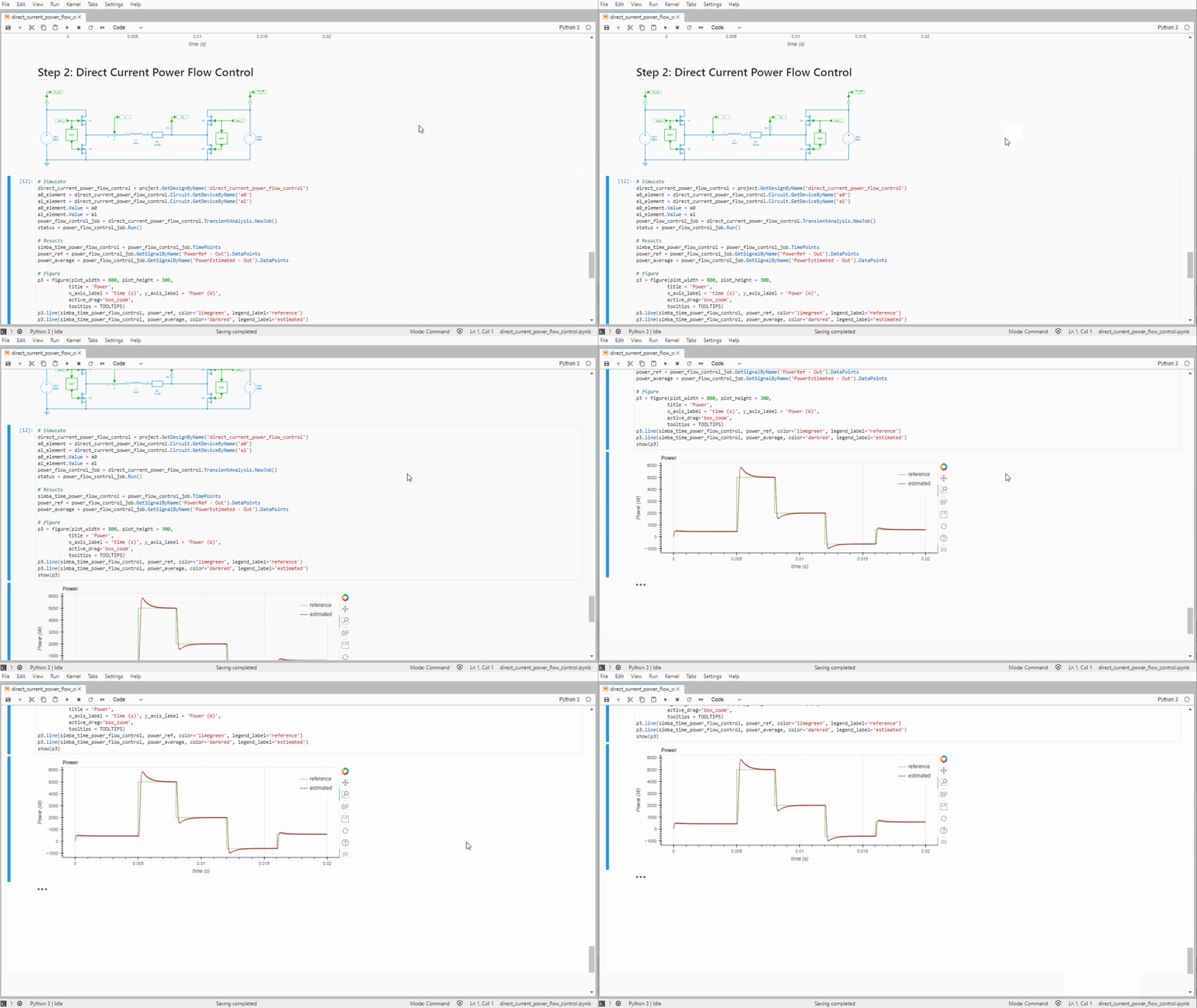
Modeling, simulation, and analysis steps can also be run from Python scripts. This gives a high degree of freedom for automation and advanced studies.
See the Python Library page for more details.
Use SIMBA Desktop to create circuits, run simulations, inspect results, and access advanced analysis features in a single desktop application.



© Copyright 2019-2026 – AESIM.tech | Privacy policy